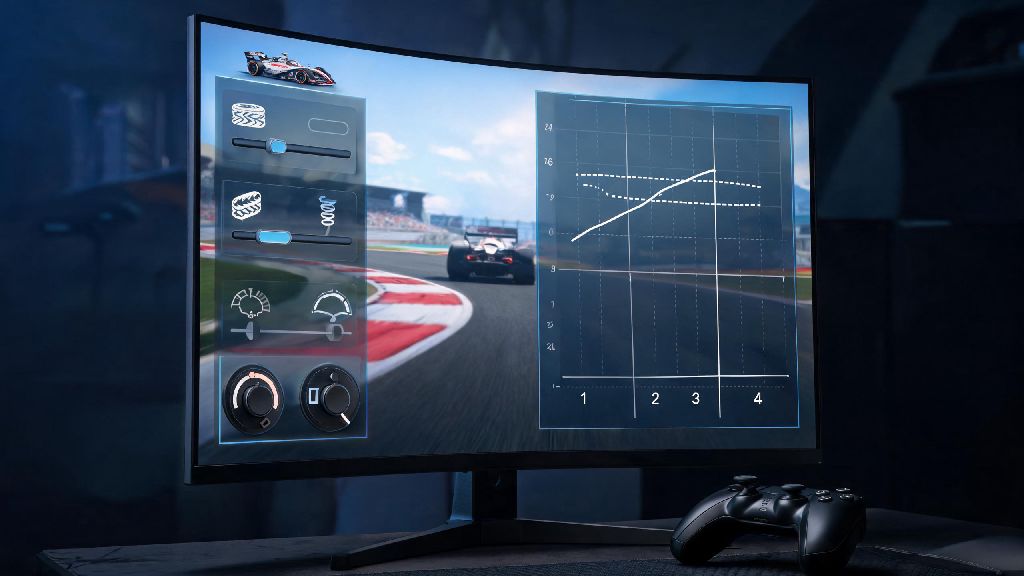
If you’ve spent any time grinding competitive racing games, you know that half the battle is knowing how to navigate the tools and systems built into the core experience. The racing master platform is no exception, with dozens of hidden features, tuning tools, and community spaces that most casual players never even notice. I’ve been climbing the global ranks for 18 months now, and I can honestly say that learning to use every part of the platform cut my race loss rate by almost 30% in my first month of focused practice. This guide breaks down the most impactful changes you can make to your platform usage today, no expensive in-game purchases required.
Key Hidden Features of the Racing Master Platform You’re Probably Missing
Most casual players only use the platform to launch races and adjust basic car settings, so they miss out on tools that can shave full seconds off their lap times. The first feature I tell all new players to look for is the pre-race track analysis tool tucked in the top right corner of the lobby screen. It pulls up a full map of the upcoming track, marks high-grip and low-grip surface sections, and shows the optimal racing line for both dry and wet conditions. I used to go into most tracks blind, and this tool alone helped me avoid 90% of the unexpected spinouts that used to cost me podium spots.
Two other underrated features are cross-save tuning profile sync and the community shared ghost lap library. If you switch between mobile and PC play, cross-save sync lets you carry all your custom car tuning setups across devices without rebuilding them from scratch. The ghost lap library, on the other hand, lets you filter practice ghosts by skill level instead of only racing against the top 10 global players. Racing against ghosts that are 10-15% faster than you is way more effective for skill building than trying to keep up with pro players who are hundreds of ranks above your level.
How to Tune Your Cars Directly Through the Platform for Maximum Track Performance
You don’t have to exit a race lobby and navigate back to the garage to tweak your car setup anymore. The platform has a built-in quick-tune panel that lets you make adjustments in 60 seconds or less right before a race starts. You can even save tuning preset slots for individual tracks, so you can load your perfect dirt rally or street circuit setup with one click instead of adjusting every setting manually.
If you’re new to tuning, focus on these three quick adjustments first to see immediate improvements:
I used to waste 10 minutes before every race switching back and forth between the garage and lobby to make these small changes, until I found the quick-tune panel tucked in the top right corner of the lobby screen. It cuts down my pre-race prep time so much that I now have extra time to review a sample ghost lap before every match.
Leverage Platform Community Features to Level Up Faster
Most players don't realize that the racing master platform lets you do a lot more than just race against random players. The built-in community features are one of its biggest unadvertised strengths, and they’re completely free for all users to access. The first feature to check out is the weekly community tuning contests, where users submit their best setups for a featured track, and the top 3 most effective setups get pinned to the track page for all users to try for free. I’ve picked up 4 of my go-to tuning setups from these contests, and they’ve helped me cut my lap times by 2-3 seconds on average for those tracks.
You can also join casual practice lobbies hosted by top ranked players every weekend, where you can race against people of similar skill levels without risking your ranked score, or ask questions about tuning and racing strategy. Don’t forget to turn on the custom event reminder toggle in your settings too. It lets you pick which types of limited-time events you want to get alerts for, so you never miss a chance to unlock rare cars or in-game currency without spending real money. I’ve unlocked three limited-edition cars in the last six months just because I got the alert 24 hours before the event started, so I had time to clear my schedule to participate.
Avoid These Common Platform Mistakes That Hurt Your Rank
Even if you have the fastest car and best reflexes, small mistakes with how you use the platform can drag your rank down over time. The most common mistake I see new players make is not clearing their cached data regularly. Over months of play, saved ghost laps, old tuning files and event data can build up and slow down your game client, leading to lag or even mid-race disconnects in ranked matches. It only takes 30 seconds to clear your cache from the settings menu, and it’s worth doing once a week to avoid losing rank because of technical issues.
Another big mistake is skipping the post-race performance breakdown that pops up after every match. It shows you exactly where you lost time during the race, whether it was late braking, bad corner lines, or slow shift times, so you know exactly what to practice next. Most players click past this screen immediately to queue for the next race, but I spend 1 minute reviewing it after every ranked match, and it helped me fix a consistent late braking habit that was costing me podium spots every other race. You also want to avoid downloading random tuning setups from unvverified users, as some of these are shared as pranks and will make your car handle way worse than the default setup. Stick to pinned setups from community contests or top 100 ranked players to avoid that issue.
At the end of the day, the racing master platform is built to give players all the tools they need to compete at the highest level, if you know where to look. You don't need to spend hundreds of dollars on premium cars or upgrades to climb the ranks – small, consistent changes to how you use the platform's built-in features will get you much further, much faster. Try out one or two of these tips in your next play session, and you'll likely see a noticeable difference in your lap times and win rate right away.