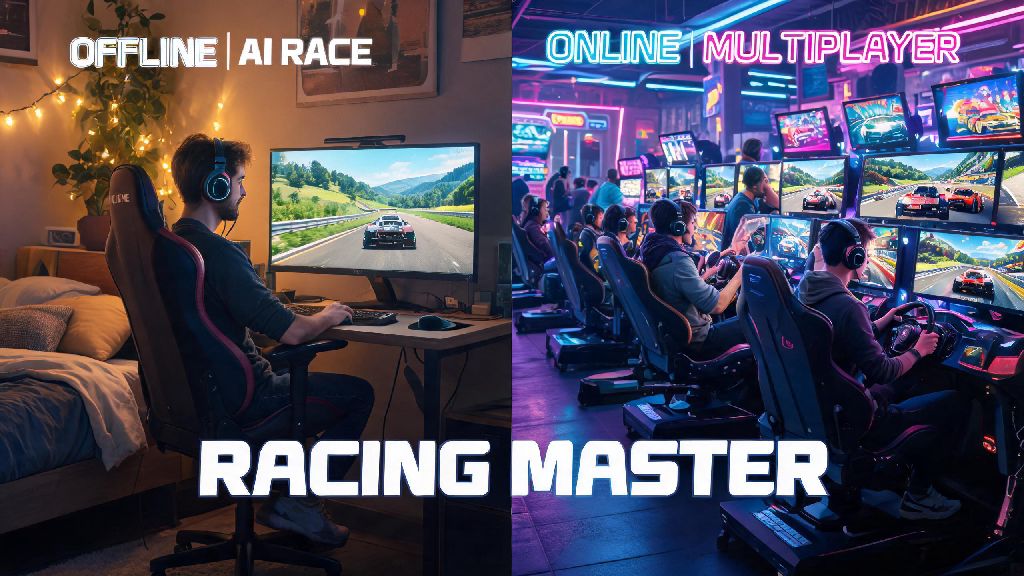
Last weekend I sat down to fire up Racing Master after a long work week, and for the first time in months, I hesitated before hitting quick play. I was exhausted from back-to-back Zoom calls, and didn’t feel like dealing with toxic chat or sweatier players who grind 10 hours a day. That’s when I realized the choice between racing master online or offline play is way more personal than most players give it credit for. It’s not just about internet access, it’s about your mood, goals, and how much time you have to sit down for a session. This guide breaks down everything you need to know to pick the right mode every time you open the game.
Core Differences Between Racing Master Online or Offline Play
When weighing racing master online or offline options, the first factor most players notice is the opponent type. Offline mode pits you exclusively against AI drivers, while online mode matches you with real human players from across the world. The gap between these two opponent types is massive, even if you set the AI to its highest difficulty level.
Offline mode exclusively uses AI opponents calibrated to your current driver rank, so you never face competition way outside your skill level unless you manually adjust the difficulty slider. All your progress, car unlocks, and tune settings are saved locally to your device, so you don’t need to log into an account to access them. You can also pause any race mid-session without penalty, which is a huge perk for busy players.
Online mode requires a stable 10Mbps+ internet connection to avoid lag or disconnections mid-race. All your progress is synced to the game’s cloud servers, so you can pick up where you left off on any device logged into your account. You also get access to exclusive game modes, limited-time events, and leaderboard rankings that aren’t available in offline play. The tradeoff is you can’t pause races, and you’ll face players with a wide range of skill levels, from total beginners to pro-level competitors.
Pros and Cons of Playing Racing Master Offline
Offline mode is often written off as just a “beginner practice mode”, but it has a lot of value for players of all skill levels. The biggest upside is that you don’t need internet access to play, so you can enjoy the game on long flights, road trips, or in areas with spotty cell service. You also have full control over every race setting, from track weather to opponent difficulty, so you can curate every session to your exact preferences.
Offline mode is the best place to test new car tunes and track layouts before you take them to competitive online lobbies. You can run 10+ laps of the same track in a row to tweak your suspension or gear ratios without worrying about other players ruining your test run. I usually spend 2-3 hours testing new rally car tunes in offline mode before I even think about taking them to online cross-country events.
The downsides of offline play are pretty straightforward. You won’t earn any exclusive event rewards or limited-edition cars that are only available through online events. You also don’t get to show off your custom wraps or paint jobs to other players, and you’ll never face the unpredictable tactics that real human players use. If you only play offline, you’ll also miss out on custom lobbies to race with friends who live in other areas.
Pros and Cons of Playing Racing Master Online
Online mode is where most players spend the bulk of their time once they master the basics of the game, and for good reason. The competitive energy of racing against real human players is impossible to replicate with AI, even on the highest difficulty setting. You’ll pick up new drifting and cornering tricks just by watching more experienced players in lobbies, which will make you a better driver overall.
Online ranked mode is the only way to unlock some of the game’s rarest hypercars and customization parts. Limited-time weekly events also give you the chance to earn exclusive wraps, rims, and performance upgrades that you can’t get anywhere else. You can also create custom private lobbies to race with friends, or join community-run tournaments with real prize pools for top finishers.
That said, online play isn’t for everyone, and it has some clear downsides. Lag spikes from unstable internet can cost you sure wins, and you’ll occasionally run into unsportsmanlike players who intentionally ram you off the track or spam toxic messages in chat. I once lost a ranked online race because my roommate decided to download a 40GB game mid-session, so I now always follow a quick pre-online checklist before I queue for races:
You’ll also occasionally run into smurfs, which are high-rank players who create new accounts to beat up on beginners. If you run into the same player three races in a row who is clearly way above the lobby skill level, just switch to a different lobby to save yourself the frustration.
How to Pick the Right Mode for Your Next Racing Session
The good news is you don’t have to commit to one mode forever. Most players switch back and forth between online and offline play depending on their mood, schedule, and goals for the session. There’s no “right” choice, just the choice that works best for you at that moment.
If you only have 10-15 minutes to kill before an appointment, or you’re playing in an area with unreliable internet, stick to offline mode. You can pause whenever you need to, and you won’t have to worry about wasting 10 minutes waiting for an online lobby to fill up just to get disconnected halfway through the first lap.
If you’re looking to grind for a limited-time event car, or you want to race against friends who live in other cities, online mode is the clear pick. Just make sure you’ve practiced the event track and tuned your car properly in offline mode first, so you don’t waste event tickets on races you have no chance of winning.
You don’t have to stick to one mode permanently – I usually play 2-3 offline practice races before I jump into online ranked sessions, to warm up my reflexes and make sure my car tune is working correctly. For new players, I recommend spending at least your first 20 hours of playtime in offline mode to master core skills like drifting, cornering, and tuning before you jump into online lobbies. That way you won’t get discouraged by constant losses to more experienced players.
At the end of the day, there’s no right or wrong answer when it comes to choosing between racing master online or offline play. Both modes have their own unique benefits, and the best choice depends entirely on what you want out of your time with the game. Don’t let other players pressure you into playing online if you just want to relax and cruise around your favorite tracks, and don’t write off online play entirely if you’re craving a real competitive challenge. Next time you open Racing Master, take 10 seconds to think about your mood and goals before you pick a mode – you’ll have way more fun as a result.